VERSION 0.3.0 · FREE CORE + ONE-TIME PRO

Export web tables to CSV, JSON & Excel without copy-paste chaos.

Page Workbench captures HTML tables (including multi-row headers and switch states) and repeated cards right inside Chrome, plus lets you mask sensitive details on visible-page screenshots before saving PNG—100% locally with zero sign-in.

Free CSV/JSON & PNG masking · Optional Pro US$9.90 launch (US$14.90 regular, no subscription)

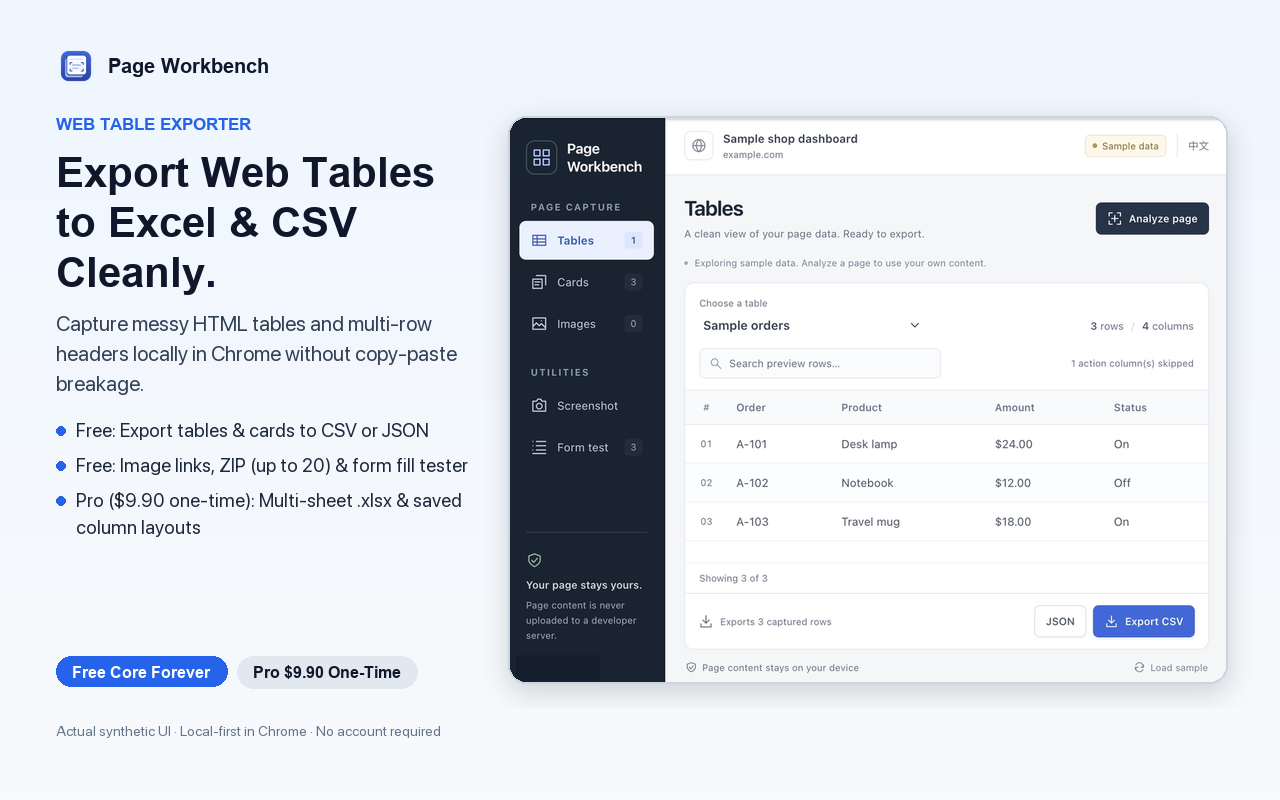
Page Workbench table preview and local CSV/JSON export UI
Table capture preview with search filter and local export controls

Everything included in Free vs Optional Pro

Free Forever (No Account Required)

  • Web Table Capture: Inspect tables (including common multi-row headers), search preview rows, and export clean CSV or JSON.
  • Card List Extractor: Detect repeated cards on a page and export titles, text, and links.
  • Image Links & ZIP: Export image URLs or download up to 20 accessible images as a local ZIP.
  • Screenshot Masking (PNG): Capture the visible tab, draw manual opaque redaction boxes with undo, and save PNG.
  • Safe Form Fill Tester: Fill empty ordinary form fields with synthetic values (skips password, payment, verification fields; never submits).
Optional One-Time Pro (US$9.90 Launch / US$14.90 Regular)

  • Multi-Table Excel Workbook (.xlsx): Export up to 20 captured tables from a page into a single workbook (one worksheet per selected table).
  • Custom CSV Columns: Choose, rename, and reorder columns before exporting.
  • Reusable Export Layouts: Save up to 40 local column presets for recurring reports.
  • One-Time Licence: Per-product licence, no monthly subscription, no automatic renewal.
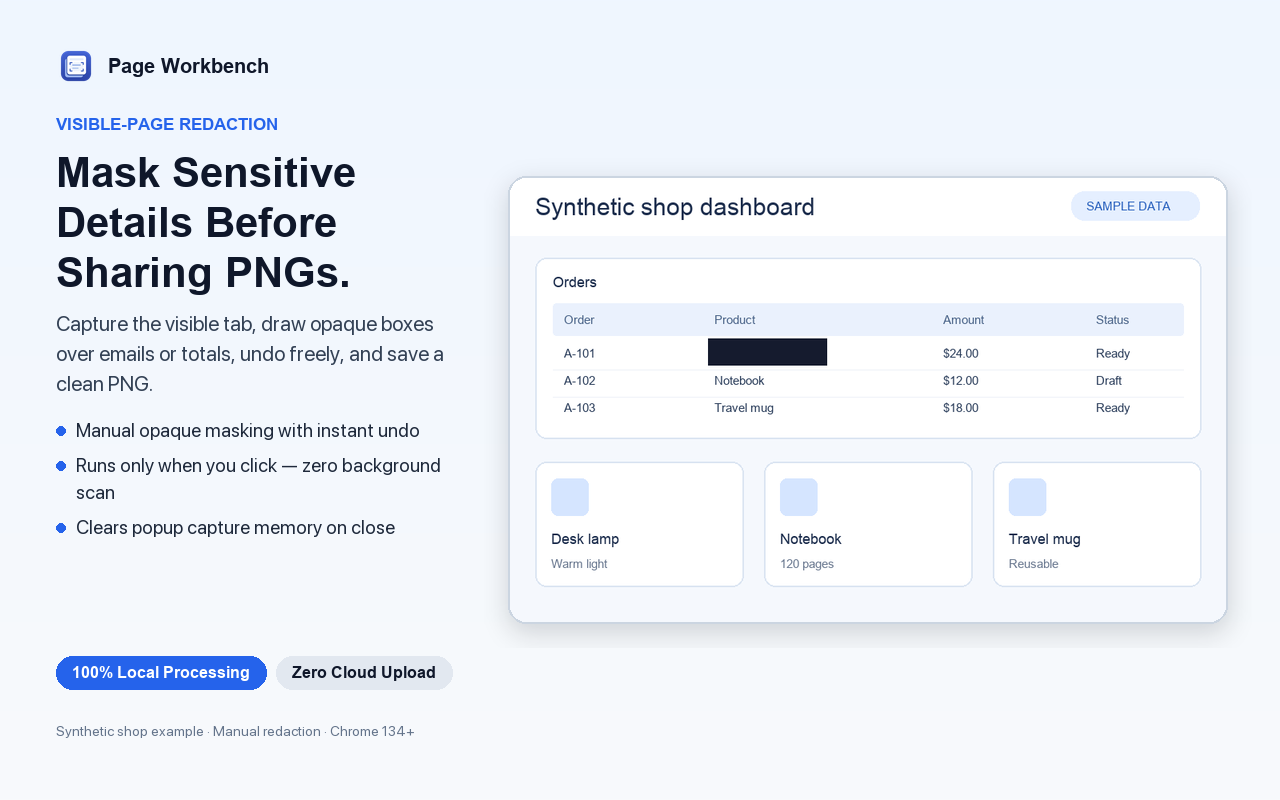
Page Workbench manual screenshot masking preview
Manual opaque redaction box over visible-page capture before saving PNG

Redact sensitive screenshots before sharing bug reports or docs.

No need to upload internal dashboards to third-party image editors. Capture the visible Chrome area, drag opaque boxes over emails or totals, undo if needed, and save straight to disk.

Get Page Workbench Free ↗

Frequently asked questions & honest limits

Does Page Workbench run in the background or track my browsing?

No. It only analyzes the active ordinary HTTP/HTTPS tab after you open the popup and click an action. Data stays in temporary popup memory and clears on close.

Are there pages or layouts with browser capture limits?

Yes. Chrome internal pages (chrome://) and restricted store pages cannot be captured. Very large pages are capped for responsiveness, and heavily virtualized infinite-scroll tables may capture only currently rendered nodes. Screenshot masking is manual—always review your PNG before sharing.

Is Pro a recurring subscription?

No. Optional Pro is a one-time payment per extension (US$9.90 launch / US$14.90 regular for Page Workbench) with no automatic renewal.